Allcalc Geometry1.4
Publisher Description
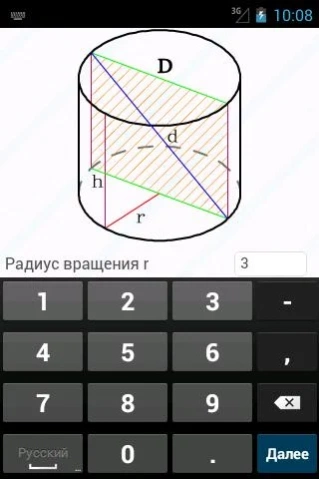
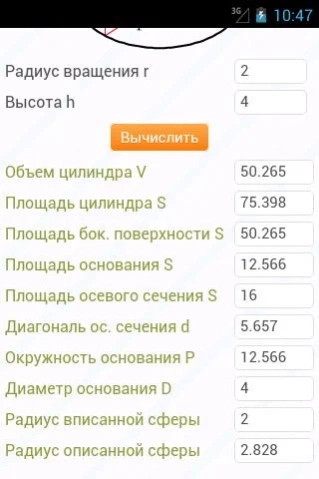
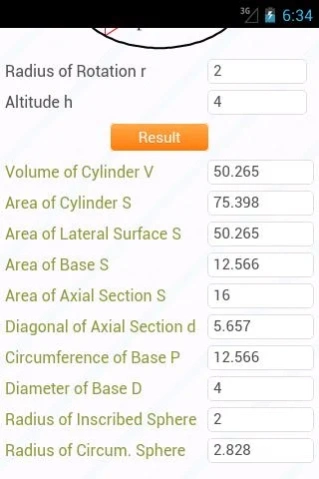

Calculator Geometric Figures
The application contains more than 800 formulae integrated in 144 calculators.
The program calculates the following: Area, Volume, Angle, Diagonal, Altitude, Radius of Inscribed Circle, Radius of Circumscribed Circle, Cathetus, Hypotenuse, Radius of Circumscribed Sphere, Radius of Inscribed Sphere, Side, Median, Bisector, Area of Base, Area of Surface, Area of Axial Section, Area of Lateral Surface, Area of Edge, Side of Base, Perimeter, Perimeter of Base, Radius, Edge, Face, Apothem, Arc, Tilting Angle of Face, Tilting Angle of Edge, Tilting Angle of Generatrix, Angle between Diagonals, Arc Length, Cone Angle, Midline, Diameter, Сircumference, Chord.
Two-dimensional figures: Circle, Rhombus, Triangle, Rectangle, Trapezoid, Square, Parallelogram, Ring, Sector of Ring, Segment of Ring, Ellipse.
Stereometric figures: Cylinder, Cube, Sphere, Parallelepiped, Pyramid, Prism, Cone, Tetrahedron, Truncated Pyramid, Truncated Cone, Octahedron.
About Allcalc Geometry
The company that develops Allcalc Geometry is allcalc. The latest version released by its developer is 1.4. This app was rated by 1 users of our site and has an average rating of 3.0.
To install Allcalc Geometry on your Android device, just click the green Continue To App button above to start the installation process. The app is listed on our website since 2013-10-31 and was downloaded 98 times. We have already checked if the download link is safe, however for your own protection we recommend that you scan the downloaded app with your antivirus. Your antivirus may detect the Allcalc Geometry as malware as malware if the download link to ru.allcalc.geometry.calculator is broken.
How to install Allcalc Geometry on your Android device:
- Click on the Continue To App button on our website. This will redirect you to Google Play.
- Once the Allcalc Geometry is shown in the Google Play listing of your Android device, you can start its download and installation. Tap on the Install button located below the search bar and to the right of the app icon.
- A pop-up window with the permissions required by Allcalc Geometry will be shown. Click on Accept to continue the process.
- Allcalc Geometry will be downloaded onto your device, displaying a progress. Once the download completes, the installation will start and you'll get a notification after the installation is finished.
Program Details
System requirements
Download information
Pricing
Version History
version 1.4
posted on 2013-10-31
version 1.4
posted on 2013-05-10
Several fixes and updates
